
Translation guides
A bilingual reading workflow for arXiv papers
Start by understanding the research question, then use bilingual reading to examine the method and evidence. Keep the paper’s original text, equations and references as the source of truth.
A free usage allowance is available. Translation requires sign-in and internet access; usage limits apply.
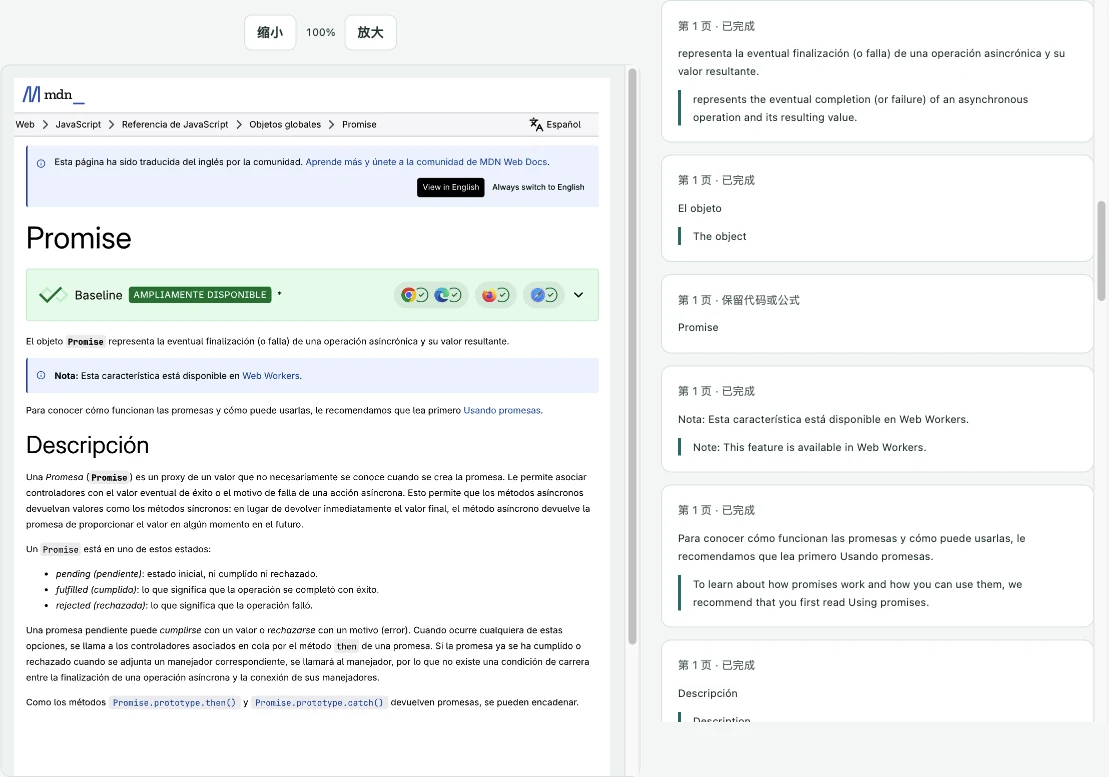
How to use it
- Open the paper’s abstract page and translate its accessible webpage text to decide whether it is relevant.
- Download the paper’s text-based PDF and import it into the file workbench; the per-file limit is 50 MiB.
- Translate a representative page and check the extraction order, particularly in two-column sections.
- Read more pages as needed, keep recurring terminology in your glossary and export bilingual text for review.
Move from overview to detail
Read the abstract, contribution and conclusion before working through every page. Then inspect the method and experiments together with the original. Translation can help you follow the prose, but it cannot establish whether a research claim is correct.
Handle columns, formulas and tables
PDF text extraction can mix columns or include running headers in a paragraph. Check where one sentence ends and another begins. Use the original PDF for equations, subscripts, tables and figure labels. Scanned pages require OCR, which Precise Translate does not provide.
Keep a terminology note
Add domain-specific terms only after checking how the authors use them. Avoid forcing an everyday translation onto a term with a technical meaning. The original PDF stays on the device while extracted text needed for translation is processed by the service. Export produces bilingual text, not a newly typeset PDF.
A free usage allowance is available. Translation requires sign-in and internet access; usage limits apply.