Explore translation features
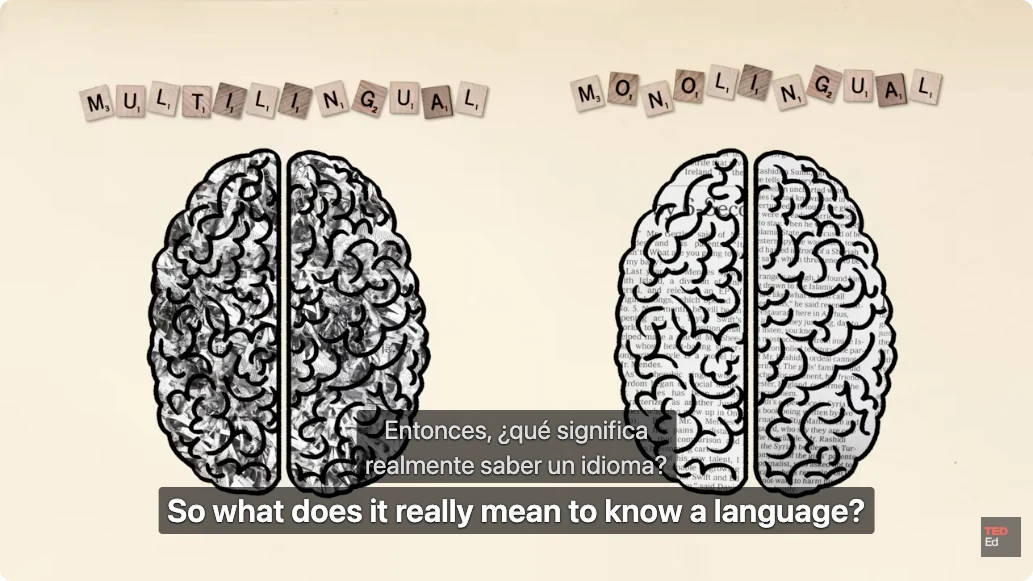
Watch YouTube with original and translated subtitles
Keep the original caption beside its translation while a YouTube video plays. Precise Translate uses available caption tracks, so you can compare phrasing without leaving the player.
A free usage allowance is available. Translation requires sign-in and internet access; usage limits apply.
How to use it
- Install Precise Translate, sign in and choose your translation language.
- Open a YouTube on-demand video with available captions. Start subtitle translation from the extension’s video controls.
- Read both languages during playback. Use the subtitle list to revisit a line and adjust subtitle appearance.
- Export available bilingual subtitles as SRT or VTT when you want to review them later.
Learn from the sentence, not just the translation
A technical explanation or unfamiliar expression is easier to check when the original remains visible. Pause and compare a complete sentence before continuing. Translation and explanations are AI-generated; verify technical names, quantities and important claims against the original.
When a caption track cannot be retrieved
First check that the video has a selectable caption track and that you can play it in your current browser session. A platform restriction, missing track or changed player can prevent retrieval. If you already have an SRT or VTT file, import it into the file workbench instead. A local subtitle file does not create captions for a video that has none.
What is supported
This feature supports on-demand YouTube videos with retrievable captions. It does not transcribe audio, translate captionless videos or support live streams. Translation requires an account, internet access and available usage allowance. Website languages, extension interface languages and translation targets are separate lists.
A free usage allowance is available. Translation requires sign-in and internet access; usage limits apply.